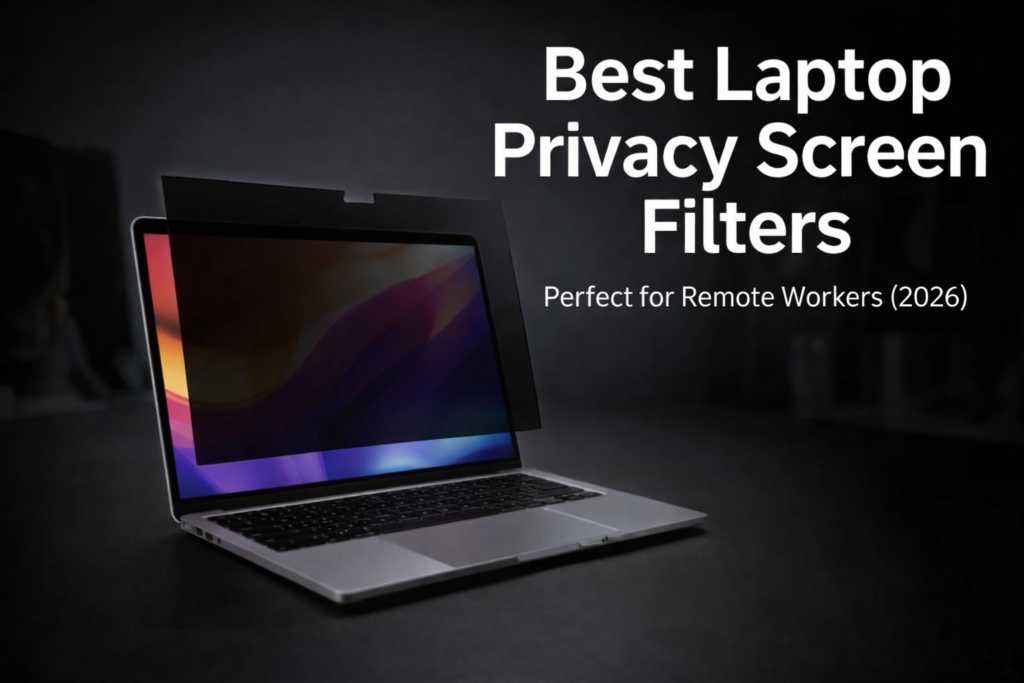
The best laptop privacy screen filter can help protect your confidential data when working in public places like cafes, airports, or co-working spaces.
Remote work has become incredibly common in recent years. Many professionals now work from cafes, co-working spaces, airports, trains, or other public environments.
However, there’s one security risk that many people ignore: screen privacy.
Imagine you’re working on confidential emails, business documents, client information, or financial data, and someone sitting nearby can easily see everything on your laptop screen.
This type of digital spying is called visual hacking, and it’s more common than people think.
A simple solution to this problem is a Laptop Privacy Screen Filter.
A privacy filter is a thin screen layer that attaches to your laptop display and blocks visibility from side angles, allowing only the person sitting directly in front of the screen to see it clearly.
If you’re a remote worker, freelancer, traveler, or student, this small accessory can make a big difference in protecting your data.
In this review, we’ll look at a popular privacy filter and also compare some of the best privacy screen filters available on Amazon, so you can choose the right one.
If you enjoy discovering useful gadgets like this, you should also check out our guide on 7 Cool Tech Gadgets on Amazon You Didn’t Know Exist (2026).
Table of Contents
1. Product Overview Of Best Laptop Privacy Screen Filter
For this review, we’re focusing on the Kensington Laptop Privacy Screen Filter, which is widely used by remote workers and professionals.
This privacy filter offers features such as:
• Anti-glare coating
• Blue light reduction
• Limited viewing angle technology
These features allow you to work safely even in public places without worrying about someone peeking at your screen.
Another big advantage is that the filter is removable, meaning you can easily attach or remove it whenever needed.
2. Key Features Of Best Laptop Privacy Screen Filter
1. Limited Viewing Angle Technology
The most important feature of a privacy screen filter is its 60-degree viewing angle limit.
This means:
If someone tries to look at your laptop from the side, the screen will appear dark or completely black.
Only the person sitting directly in front of the screen can view the content clearly.
2. Anti-Glare Protection
Working in bright environments often creates screen reflections and glare, making it difficult to read content.
Most privacy filters come with an anti-glare matte surface, which reduces reflections and makes the screen easier on the eyes.
3. Blue Light Reduction
Spending long hours on a laptop can cause eye strain and fatigue.
Many privacy filters include blue light reduction technology, which helps minimize eye strain during long work sessions.
4. Easy Installation
Most laptop privacy filters use magnetic attachments or adhesive tabs, making installation extremely simple.
You can attach or remove the filter in just a few seconds, without any tools.
5. Touchscreen Compatibility
If you use a touchscreen laptop, the privacy filter will not interfere with touch functionality.
You can still scroll, tap, and use gestures normally.
3. Specifications Of Best Laptop Privacy Screen Filter
| Feature | Details |
|---|---|
| Screen Compatibility | 13″, 14″, 15.6″, 16″ laptops |
| Viewing Angle | ~60 degrees |
| Blue Light Reduction | Up to 30% |
| Installation | Magnetic / Adhesive tabs |
| Thickness | Ultra-thin |
| Surface | Anti-glare matte |
4. Real-World Use Case / Testing Experience
Privacy screen filters are especially useful in shared workspaces and cafes, where people sit close to each other.
During testing in public environments, one interesting thing became obvious:
From the front, the screen remained fully visible and clear.
But when someone looked at the screen from 45–60 degrees, the display appeared almost completely black.
This makes privacy filters particularly helpful if you:
• Work in coffee shops
• Travel frequently with your laptop
• Handle confidential client information
• Work in shared offices
Without a privacy filter, nearby people can easily see your screen. With the filter installed, data exposure risk is significantly reduced.
5. Build Quality and Design
Most premium privacy filters use multi-layer film technology.
Key design features usually include:
• Ultra-thin construction
• Scratch-resistant surface
• Matte anti-glare finish
• Lightweight design
The matte surface also helps reduce fingerprints and reflections.
6. Performance Of Best Laptop Privacy Screen Filter
Privacy filters are usually judged based on three factors.
Privacy Protection
Side angles become completely dark, preventing visual hacking.
Screen Clarity
When viewed from the front, the display remains clear and readable.
Eye Comfort
Anti-glare coating and blue light reduction improve long-term viewing comfort.
One minor downside is that screen brightness may feel slightly reduced, which is normal for privacy filters.
7. Pros – Best Laptop Privacy Screen Filter
• Strong privacy protection in public places
• Anti-glare coating
• Blue light reduction
• Easy installation and removal
• Adds extra protection to the laptop screen
8. Cons – Best Laptop Privacy Screen Filter
• Slight reduction in screen brightness
• Cheap filters may reduce display clarity
• Choosing the correct screen size is important
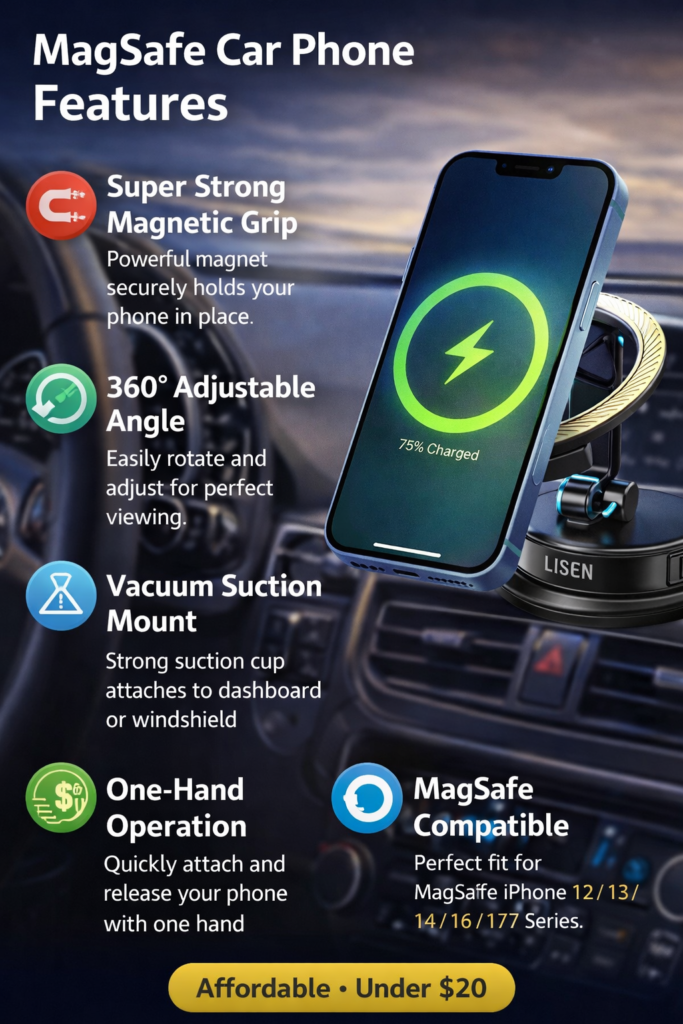
Another useful car accessory we tested recently is the Magnetic Car Phone Holder Review (LISEN MagSafe Car Mount) which is one of the best budget car gadgets available online.
9. Comparison: Best Laptop Privacy Screen Filters on Amazon
If you want the best option, here are four popular privacy filters available on Amazon.
1. Kensington Privacy Screen Filter
Best for professionals and remote workers.
Features:
• Premium build quality
• Anti-glare matte finish
• Strong privacy protection
Price range: $35 – $50
2. 3M Laptop Privacy Filter
3M is one of the most trusted brands in privacy filters.
Features:
• Excellent screen clarity
• Advanced micro-louver technology
• Durable design
Price range: $45 – $60
3. SightPro Privacy Screen Filter
A great budget-friendly option.
Features:
• Reliable privacy protection
• Affordable price
• Easy installation
Price range: $20 – $30
4. Magicmoon Privacy Screen Filter
Good choice for students and casual users.
Features:
• Lightweight design
• Decent privacy protection
• Anti-glare coating
Price range: $18 – $25
10. Where to Buy (Best Deals on Amazon)
If you want to buy a laptop privacy screen filter, Amazon usually offers multiple size options and competitive pricing.
You can check the latest deals below:
• 👉 Check Kensington Privacy Screen Filter on Amazon
• 👉 View 3M Laptop Privacy Filter Deals
• 👉 See Budget Privacy Filters Under $30
Tip: Make sure you select the correct screen size (13″, 14″, 15.6″, etc.) before purchasing.
11. Who Should Buy This
A laptop privacy screen filter is especially useful if you:
• Work remotely
• Are a freelancer or digital nomad
• Travel frequently with a laptop
• Work in cafes or shared workspaces
• Handle confidential business data
12. Who Should Avoid It
You may not need a privacy filter if:
• You work mostly from a private home office
• You rarely use your laptop in public
• You require maximum color accuracy for design or editing work
13. My Advice – Best Laptop Privacy Screen Filter – Why It Matters
If you regularly work in public environments, a privacy screen filter is a small investment that significantly improves your data security.
Instead of buying the cheapest option, choose a trusted brand like Kensington or 3M, because low-quality filters can reduce screen clarity.
For most remote workers, these brands provide the best balance between privacy, clarity, and durability.
If you frequently work in public spaces, choosing the best laptop privacy screen filter is one of the easiest ways to protect your data.
If you’re also looking for good audio gear, read our Portable Bluetooth Speaker Under $50 Review.
14. FAQs – Best Laptop Privacy Screen Filter
Does a privacy screen filter damage the laptop display?
No. Most filters are removable and actually provide an extra layer of screen protection.
Does a privacy filter reduce screen brightness?
Yes, brightness may feel slightly lower, which is normal.
Is a privacy filter good for gaming?
Not really. Gaming requires high color accuracy and brightness, which privacy filters may slightly affect.
Can privacy filters be used on MacBooks?
Yes. Just choose the correct screen size compatible with your MacBook model.
Do privacy filters work with touchscreen laptops?
Yes, most modern privacy filters support touchscreen functionality.