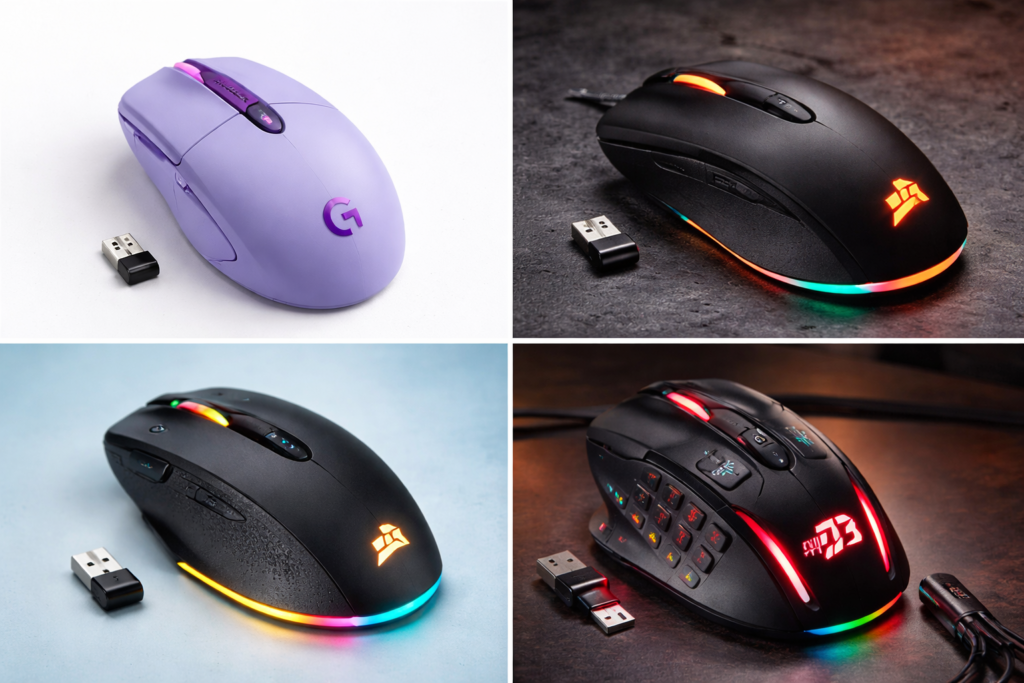
Hi, if you are searching best wireless gaming mouse under $50 on Google, it means you want a mouse that fits under a $50 budget but does not compromise performance, does not break quickly, and does not create problems later.
But but but the problem is that many cheap wireless mice in the market only show RGB but their real gaming performance is weak.
Here is some good news: in 2026 some budget wireless gaming mice are available that offer:
- Low latency wireless performance
- Strong sensors
- Suitable for FPS gaming
- Long battery backup
In this post I have only included mice that are useful for real gaming, not just marketing products.
If you want quick recommendations:
Best overall → Logitech G305 Buy on Amazon
Best FPS mouse → SteelSeries Rival 3 Wireless Buy on Amazon
Best comfort mouse → Corsair Harpoon RGB Wireless Buy on Amazon
Best feature mouse → Redragon M913 Buy on Amazon
Now let’s see them in detail.
Table of Contents
2. Comparison – Best Wireless Gaming Mouse Under $50
Mouse | Sensor | Battery | Best For
Logitech G305 | HERO Sensor | 250 hrs | Overall gaming
SteelSeries Rival 3 | TrueMove Air | 400 hrs | FPS gaming
Corsair Harpoon | PMW3325 | 60 hrs | Comfortable gaming
Redragon M913 | Pixart | 80 hrs | MMO gaming
3. Logitech G305 – Best Wireless Gaming Mouse Under $50 Overall
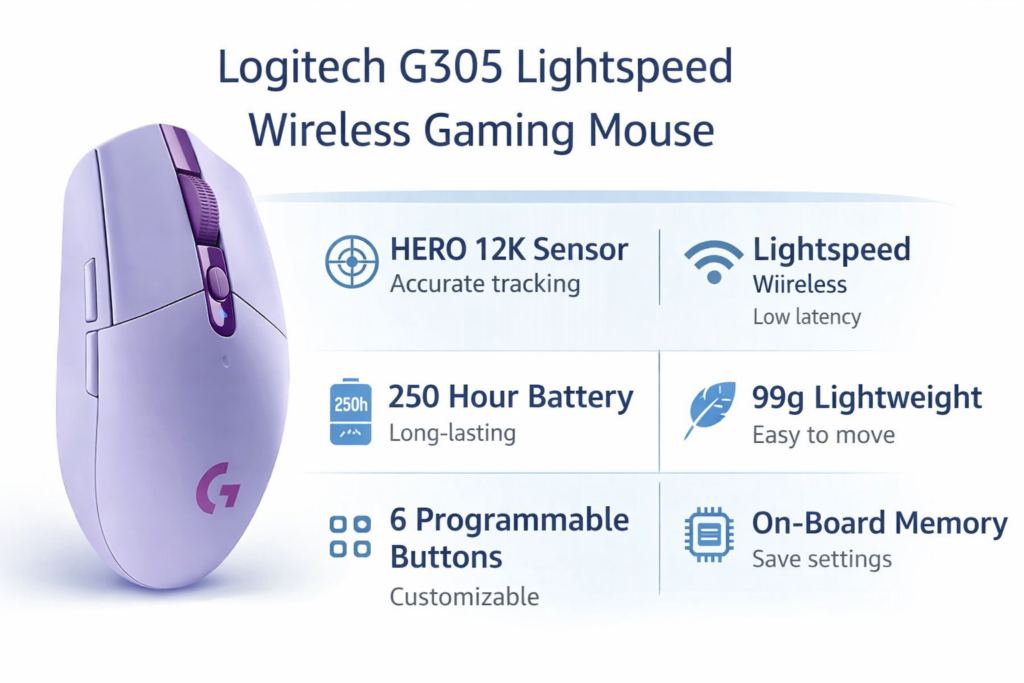
If you are confused which mouse to buy, the simple answer is Logitech G305. This is considered one of the most trusted wireless gaming mice in the budget segment.
Its HERO sensor is very accurate and Lightspeed wireless technology gives almost wired-like performance.
Gaming experience: In games like BGMI, Valorant, and Fortnite you get smooth tracking and no input lag feeling.
Main reasons to buy:
- Professional grade sensor
- Stable wireless connection
- Long battery life
- Lightweight design
Pros:
✔ Accurate sensor
✔ Trusted brand
✔ Long battery
✔ No lag wireless
Cons:
✖ No RGB
✖ Simple design
Best for: Competitive gaming.
For official specifications you can check the official Logitech product page.
4. SteelSeries Rival 3 Wireless – Budget FPS Wireless Mouse
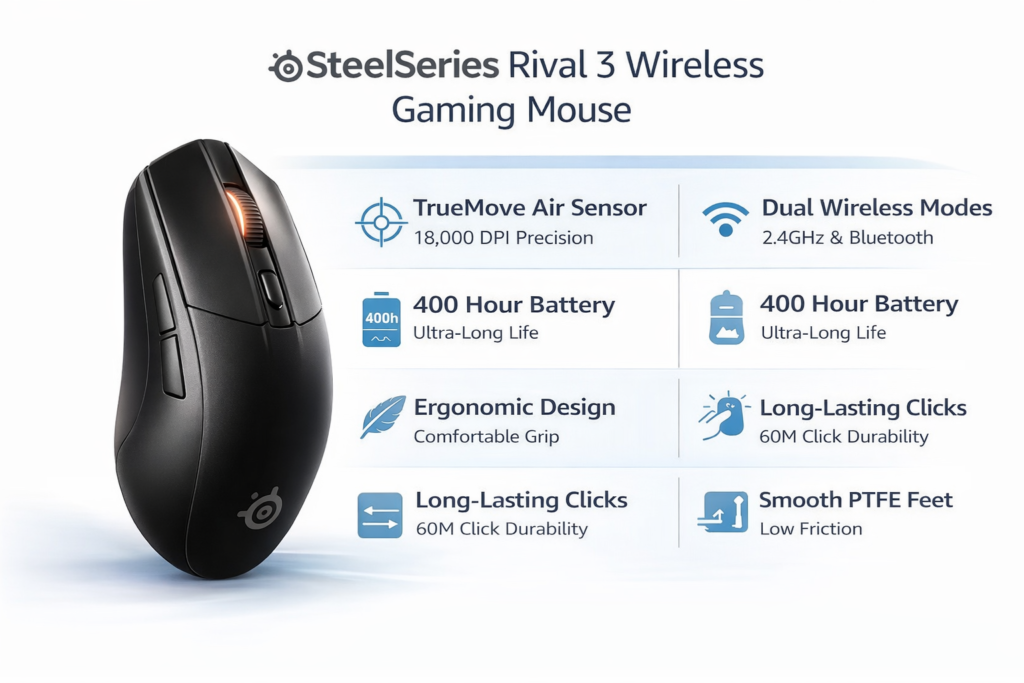
If you are an FPS gamer this is a strong option.
SteelSeries TrueMove Air sensor is known for precise tracking. This mouse is especially good for players who play aim based games.
Performance: Headshot tracking feels smooth and flick shots feel controlled.
Reasons to consider:
- Very long battery life
- Strong durability
- Accurate sensor
- Good software support
Pros:
✔ Precise tracking
✔ Strong build quality
✔ Long battery backup
Cons:
✖ Slightly heavy feel
✖ Minimal RGB
Best for: FPS players.
5. Corsair Harpoon RGB Wireless – Best Comfortable Wireless Gaming Mouse
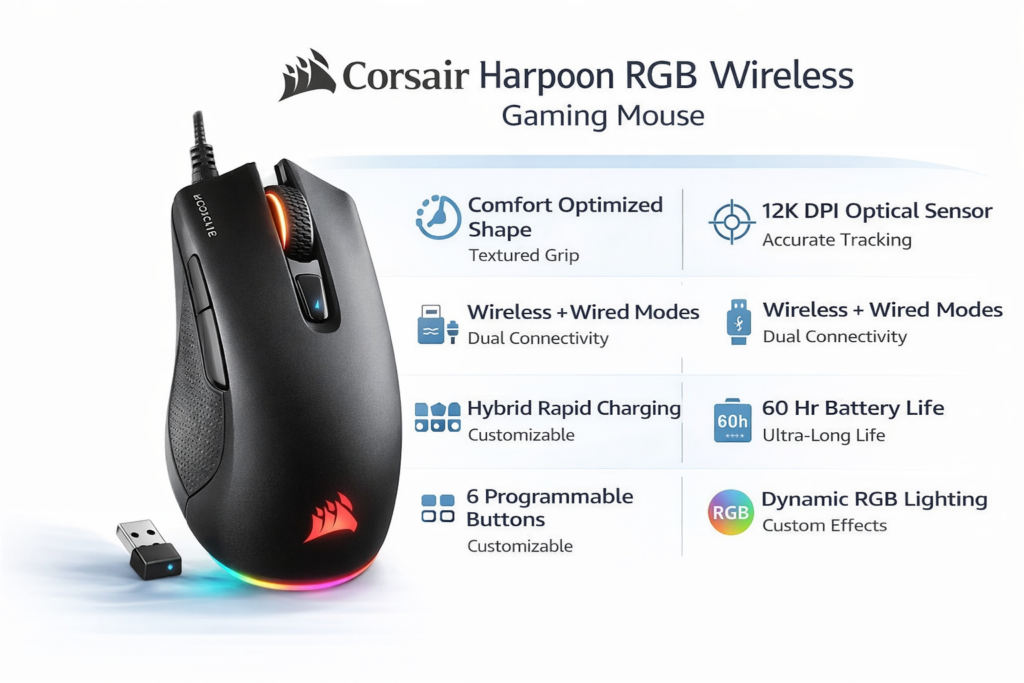
If you do long gaming sessions comfort becomes important. This mouse comes with an ergonomic design.
Special feature: You can use this in both wired and wireless mode.
Reasons to buy:
- Comfortable grip
- RGB lighting
- Hybrid connectivity
- Corsair software support
Pros:
✔ Comfortable shape
✔ RGB available
✔ Good brand reliability
Cons:
✖ Average battery
✖ Sensor decent but not top level
Best for: Casual gaming.
6. Redragon M913 – Best Feature Packed Cheap Wireless Gaming Mouse
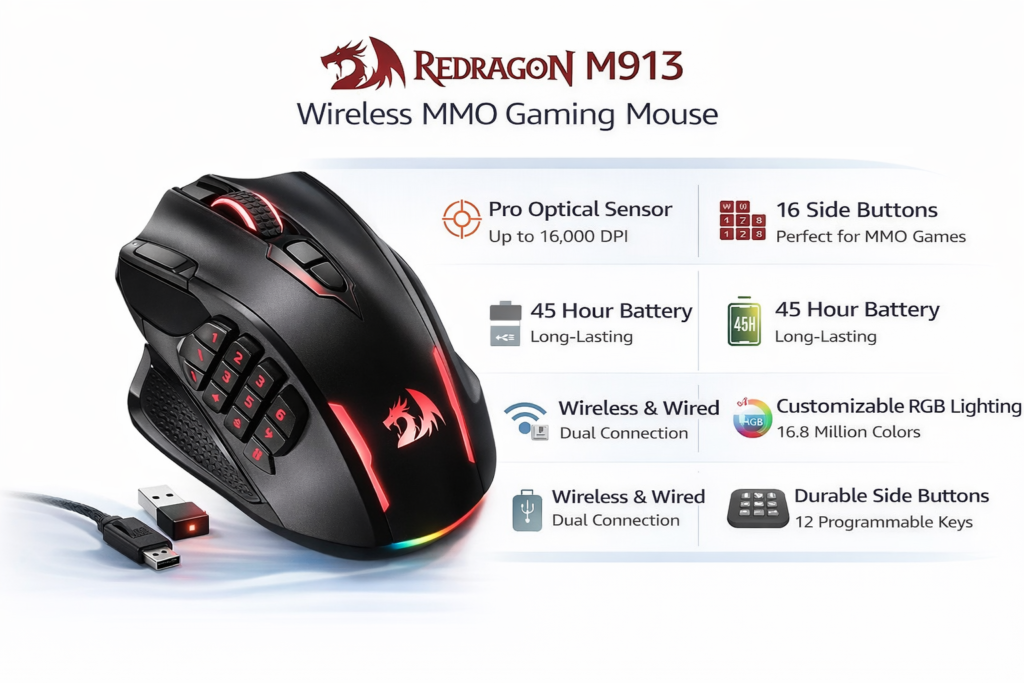
If you want maximum features in budget this can be a value for money mouse.
It offers multiple programmable buttons which are useful for MMO players.
Key features:
- Multiple side buttons
- RGB lighting
- Good battery life
- Budget friendly
Pros:
✔ Many buttons
✔ RGB
✔ Affordable
Cons:
✖ Slightly bulky
✖ Not ideal for FPS
Best for: MMO gaming.
7. How To Choose The Right Wireless Gaming Mouse
If you are still confused which wireless gaming mouse to buy, this happens with everyone. Like when we go to buy clothes and see too much variety we get confused which style or color to choose.
Same with wireless gaming mice, so follow one simple rule that experienced gamers also follow:
Choose the most suitable mouse, not the most expensive mouse.
Ask these 4 questions before buying:
1. Which games do you play most?
If you play FPS games like Valorant, CS2, Fortnite:
→ Choose a lightweight and accurate sensor mouse (Logitech G305 type)
If you play MMO or story games:
→ More buttons mouse is useful (Redragon type)
Meaning: Game type decides your mouse choice.
2. Are you a competitive player or casual gamer?
This is the most important factor.
Competitive players: Performance priority
Casual gamers: Comfort priority
If you push ranks → choose performance mouse
If you play for fun → choose comfort mouse
3. Are you buying for long term or temporary use?
People who buy cheap unknown mice often replace them in 6 months.
Trusted brands last 2–3 years.
Smart buyers buy once properly instead of replacing again and again.
4. Are you upgrading from wired?
If shifting from wired:
Check:
- Battery life
- Weight
- Latency technology
First time wireless buyers usually choose Logitech or SteelSeries because reliability matters.
8. Pro Tip From Experienced Gamers
Most experienced gamers follow a simple strategy:
Buy the safest option, not the flashiest option.
More important than RGB and design:
- Sensor quality
- Click durability
- Wireless stability
That is why in the budget segment Logitech G305 is considered a safe recommendation.
9. Use This If You Want Choice
If you want:
No confusion choice → Logitech G305
FPS focus → SteelSeries Rival 3
Comfort → Corsair Harpoon
More buttons → Redragon M913
10. How To Choose Best Wireless Gaming Mouse Under $50
Most beginners make the mistake of buying a mouse only by looking at DPI.
Real factors are:
Sensor
Choose Pixart or HERO sensor.
Wireless technology
Should be low latency.
Weight
Lightweight mouse is better for FPS.
Battery
Minimum 50 hours.
Shape
Comfort > RGB.
11. Wired vs Wireless Gaming Mouse – Which Is Better?
Earlier wireless gaming mice were avoided because of latency.
Now technology has improved.
Modern wireless gaming mice:
- Fast response
- Lag free
- Long battery life
For normal gamers: Wireless is now a better option.
12. Is Buying Cheap Wireless Gaming Mouse Safe?
I don’t think it is unsafe if your budget is low you can still buy a wireless gaming mouse.
Not every cheap product is bad. Some cheap wireless mice compete with premium ones.
Cheap wireless mice are safe if they are from trusted brands.
Even if not, your work can still be done in low budget.
Avoid:
Unknown brands
Fake DPI claims
Very cheap RGB mouse
Safe brands:
Logitech
Corsair
SteelSeries
Redragon
13. Advice – Which Wireless Gaming Mouse Should You Buy?
Friends I have told you 5 wireless gaming mice and their features and all come under $50.
Expecting premium features in a $50 wireless gaming mouse is a mistake but budget mice still give good performance. I personally used a $50 mouse and it worked for 1.5 years.
Let me repeat which mouse is better for you:
Safe choice: Logitech G305
Battery king: SteelSeries Rival 3
Comfort king: Corsair Harpoon
Feature value king: Redragon M913
Overall best: Logitech G305
14. FAQs
1. Is wireless gaming mouse good for FPS?
Yes if it has low latency technology.
2. What is the best DPI?
Most gamers use 400 to 1600 DPI.
3. Is Logitech G305 good for competitive gaming?
Yes, it is considered a budget esports level mouse.
4. How much battery should be there?
Minimum 50+ hours.