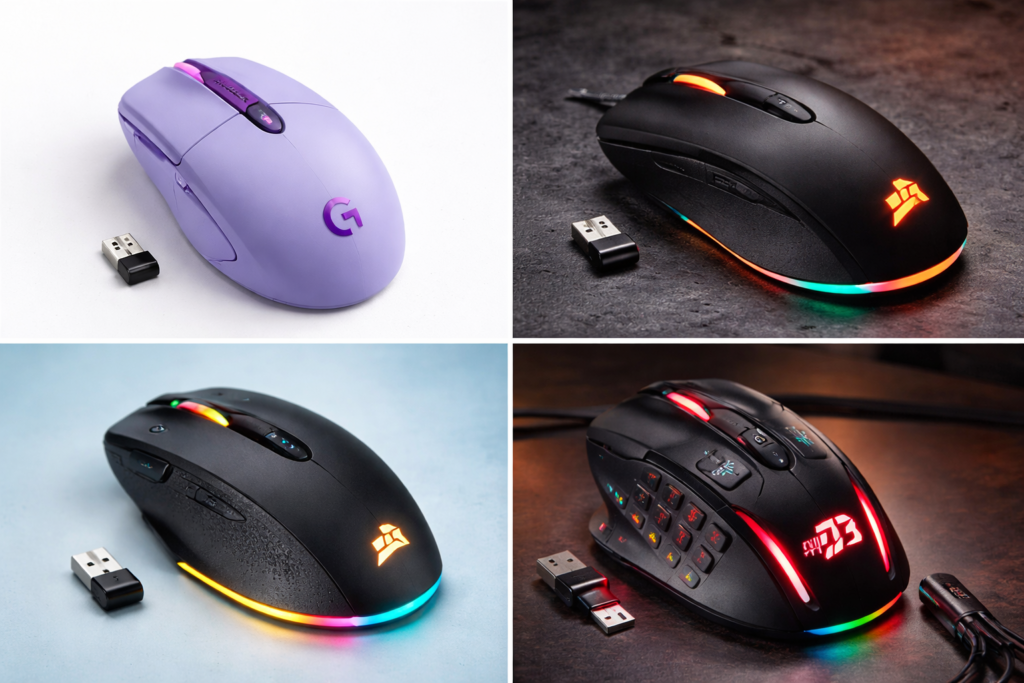
If you are searching for the best gaming mouse under $50, you probably want something that delivers real gaming performance without spending $100+. Most cheap gaming mice compromise on sensor quality, latency, or durability.
After comparing performance, features, reliability, and price stability, one mouse consistently stands above others in the budget gaming category: Logitech G305 Lightspeed.
This guide explains why it remains the safest budget gaming investment and whether it fits your gaming needs.
Table of Contents
1. Best Gaming Mouse Under $50 – Logitech G305
The Logitech G305 Lightspeed is widely considered the best budget gaming mouse because it offers flagship-level sensor performance at an entry price.
Key specifications:
- Sensor: HERO 12K Sensor
- DPI: 200 – 12,000 DPI
- Weight: 99g
- Connectivity: Lightspeed Wireless
- Battery: Up to 250 hours
- Buttons: 6 programmable buttons
- Polling rate: 1000Hz
- Price range: $35–$50
Why this matters:
Most budget mice use cheap sensors with acceleration issues. G305 uses the same sensor technology found in higher-end Logitech gaming mice.
This makes it suitable even for competitive gaming.
2. Key Features That Make Logitech G305 Worth Buying
HERO Sensor Performance
The HERO sensor is the biggest reason this mouse dominates the budget category.
Advantages:
- No hardware acceleration
- No smoothing issues
- Consistent tracking
- Good for FPS games
- Reliable flick shots
This matters especially in games like:
- Valorant
- CS2
- Fortnite
- Apex Legends
- Call of Duty
Cheap gaming mice often fail here.
Lightspeed Wireless Technology
Many gamers still believe wireless means delay. That is outdated.
Lightspeed provides:
- 1ms response time
- Stable connection
- Tournament-level latency
- No cable drag
This gives cleaner mouse movement compared to wired budget mice.
Battery Efficiency
Battery life is often ignored but important.
G305 offers:
- Up to 250 hours battery
- Single AA battery
- Adjustable performance mode
- Long standby time
Most RGB mice under $50 last only 20–40 hours.
Lightweight and Balanced Design
Weight: 99 grams.
Benefits:
- Easy flicking
- Better control
- Less wrist fatigue
- Good for claw grip
- Good for fingertip grip
Palm grip users with large hands may find it small.
3. Real Gaming Performance Test Results
Where G305 performs well:
FPS games: Very strong performance because of accurate tracking.
MOBA games: Responsive clicks and good control.
Casual gaming: Comfortable and reliable.
Where it is average:
MMO gaming: Limited buttons compared to MMO mice.
Ultra lightweight preference: Not ideal if you want sub-70g mice.
Overall verdict: Performance per dollar is extremely strong.
4. Pros and Cons
Pros:
- Excellent HERO sensor accuracy
- True gaming wireless performance
- Long battery life
- Trusted Logitech durability
- Affordable price
- No RGB battery drain
- Lightweight design
Cons:
- No RGB lighting
- Uses AA battery instead of rechargeable
- Small for large hands
- No Bluetooth mode
- Basic design
5. Best For and Not For
Best For:
Buy this mouse if you:
- Play FPS games
- Want wireless gaming
- Need budget performance
- Hate cable drag
- Want reliable tracking
- Need long battery life
Not For:
Avoid if you:
- Want RGB lighting
- Prefer ultra lightweight mice
- Need MMO side buttons
- Have very large hands
- Want rechargeable battery
6. Before Choosing a Gaming Mouse Under $50
Most buyers choose wrong because they only see DPI numbers.
Important factors:
Sensor Quality
Always check sensor type.
Good sensors:
- Logitech HERO
- PixArt 3325
- PixArt 3360
Avoid unknown sensors.
Weight
Ideal ranges:
- FPS players: under 90g preferred
- Casual gamers: 90–110g fine
- Heavy mice reduce control
Shape
Grip matters more than specs.
Grip types:
Palm grip → larger mouse
Claw grip → medium mouse
Fingertip → small mouse
G305 fits claw and fingertip best.
Connectivity
Wireless advantages:
- No drag
- Clean setup
- Portable
- Competitive latency now possible
7. Alternatives If Logitech G305 Is Not Available
Good alternatives:
- Razer Basilisk Essential
- SteelSeries Rival 3
- Corsair M55 RGB Pro
- HyperX Pulsefire Core
Why G305 still wins:
- Better sensor efficiency
- Wireless advantage
- Battery life
- Price consistency
- Reliability
8. Comparison With Typical Budget Gaming Mice
| Feature | Logitech G305 | Typical $30 Mouse |
|---|---|---|
| Sensor | HERO | Generic |
| Wireless | Yes | No |
| Battery | 250 hours | 30–40 hours |
| Latency | 1ms | 5–15ms |
| Durability | High | Average |
| Brand support | Strong | Weak |
Conclusion:
G305 offers premium features at budget pricing.
9. Common Mistakes Buyers Make
Avoid these mistakes:
Buying based only on DPI
Ignoring sensor type
Choosing heavy RGB mice
Buying unknown brands
Ignoring shape comfort
Overpaying for RGB instead of performance
Smart buyers focus on:
Sensor + latency + shape.
10. Who Should Definitely Buy This Mouse
This is ideal if you are:
- Beginner gamer
- Budget FPS player
- YouTube gaming creator
- Laptop gamer
- Wireless setup builder
- Competitive budget gamer
Especially good for:
Students building budget gaming setups.
What is the best gaming mouse under $50?
The Logitech G305 Lightspeed is considered the best gaming mouse under $50 because it offers a HERO sensor, 1ms wireless latency, long battery life, and reliable gaming performance at an affordable price.
12. Conclusion
If your budget is under $50 and you want real gaming performance instead of marketing features, Logitech G305 remains one of the safest purchases.
It delivers:
- Reliable sensor accuracy
- True wireless gaming
- Long battery life
- Trusted durability
- Strong value
Instead of buying flashy RGB budget mice, investing in a performance-focused mouse like G305 gives better long-term value.
For most gamers under this price segment, this is a low-risk, high-value choice.
If you are still comparing wireless options, you should also check our post on the best wireless gaming mouse under $50 before making your final decision.
11. FAQ
Is Logitech G305 good for FPS games?
Yes. The HERO sensor provides accurate tracking suitable for competitive FPS gameplay.
Is Logitech G305 good for Valorant?
Yes. Many budget competitive players use it because of low latency and consistent tracking.
Is wireless gaming mouse better than wired?
Modern wireless gaming mice like G305 offer similar latency to wired while removing cable drag.
How long does Logitech G305 battery last?
Around 250 hours depending on usage mode.
Does Logitech G305 have RGB?
No. It focuses on performance instead of lighting.
Is Logitech G305 heavy?
At 99g it is considered medium weight. Not ultra light but comfortable.
Is this mouse good for beginners?
Yes. It is one of the safest first gaming mouse purchases.