
AI image generators have completely changed how bloggers create visuals images. Earlier, bloggers depended on stock photos or Canva templates. Now AI can generate unique blog images, featured images, Pinterest pins, thumbnails, and illustrations within seconds.
If you are a blogger, digital & affiliate marketer, or content creator, using AI image generators can help you:
- Save design cost
- Create unique images (important for SEO)
- Improve CTR
- Increase engagement
- Build brand identity
In this post, you will discover the best free AI image generators for bloggers, their features, limitations, and which tool is best for different blogging needs.
These best free AI image generators for bloggers help create unique visuals without hiring designers.
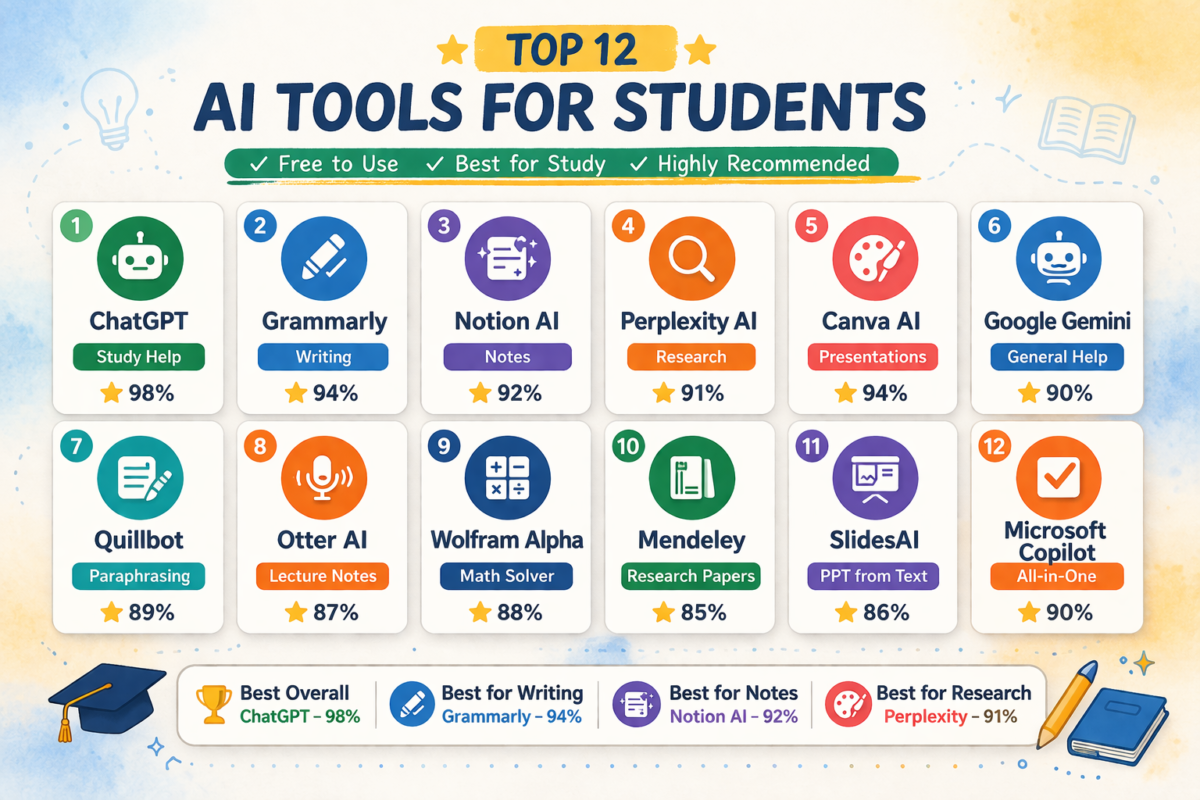
Bloggers who are just starting their content creation journey often look for beginner-friendly AI tools that can help with research, productivity, and design tasks. Many of the tools used by students are also extremely useful for bloggers because they help with note organization, idea generation, and workflow automation. If you want to explore more beginner-friendly platforms, you can also check our detailed guide on best free AI tools for college students where we covered several useful AI platforms that can also improve blogging efficiency.
Table of Contents
1. Why Bloggers Need AI Image Generators
Most bloggers ignore this ranking factor:
Unique images improve SEO.
Google prefers original content. When you use stock images, thousands of websites use the same image. AI generated images help you create unique visual content.
Benefits for bloggers:
- Unique featured images
- Custom illustrations
- Blog thumbnails
- Comparison graphics
- Infographics
- Social media creatives
- Affiliate product visuals
AI tools also reduce dependency on graphic designers.
2. Comparison Table
| Tool | Free Plan | No Watermark | Best For |
|---|---|---|---|
| Leonardo AI | Yes | Yes | Blog thumbnails |
| Canva AI | Yes | Yes | Graphics |
| Bing Creator | Yes | Yes | Realistic images |
| Playground AI | Yes | Yes | Bulk creation |
| Ideogram | Yes | Yes | Text images |
| Mage Space | Yes | Yes | Quick images |
| BlueWillow | Yes | Yes | Art images |
| Wombo | Yes | Yes | Creative blogs |
| DeepAI | Yes | Yes | Simple use |
3. Key Features Bloggers Should Look For
Before choosing a free AI image generator, bloggers should check:
Important factors:
Image quality Resolution should be at least HD.
No watermark Watermark limits usability.
Commercial usage Important for affiliate blogs.
Prompt control Better prompts = better images.
Speed Fast generation improves workflow.
Style options Realistic, 3D, illustration, anime.
Editing options Background removal and resizing help.
4. Best Free AI Image Generators for Bloggers
1. Leonardo AI
Best for: Blog featured images and illustrations.
Features:
- Free daily credits
- High quality images
- Style presets
- Prompt enhancement
- Fast rendering
Pros:
- Very high quality
- Free plan available
- Good for blog thumbnails
Cons:
- Credit limitation
- Learning curve
Best use case: Blog headers and comparison graphics.
2. Canva AI Image Generator
Best for: Beginners.
Features:
- Simple interface
- Built into Canva editor
- Drag and drop editing
- Blog graphic ready templates
Pros:
- Beginner friendly
- Easy editing
- Integrated design tools
Cons:
- Limited free generation
- Style limitations
Best use: Pinterest pins and blog graphics.
3. Microsoft Designer (Bing Image Creator)
Best for: Unlimited realistic images.
Features:
- Powered by DALL-E
- Free access
- Realistic outputs
- Fast generation
Pros:
- Completely free
- Good realism
- No design experience needed
Cons:
- Limited editing
- Sometimes generic results
Best use: Blog illustrations.
4. Playground AI
Best for: Bulk image creation.
Features:
Best for: Midjourney alternative.
- 500 free images daily
- Multiple styles
- Commercial use allowed
- Editing canvas
Pros:
- Large free quota
- Good flexibility
- Batch creation
Cons:
- Interface complex
- Needs practice
Best use: Affiliate comparison images.
5. Ideogram AI
Best for: Text inside images.
Features:
- AI text rendering
- Poster generation
- Logo style images
- Social media designs
Pros:
- Best for typography
- Good clarity
- Free access
Cons:
- Limited editing
- Style focused
Best use: Blog banners.
6. Mage Space
Best for: No login generation.
Features:
- Instant images
- Multiple models
- Free access
- Simple prompt system
Pros:
- Fast
- No account required
- Good experimentation tool
Cons:
- Quality inconsistent
- Limited control
Best use: Quick blog illustrations.
7. BlueWillow AI
Features:
- Discord based
- Community prompts
- Free usage
- Artistic styles
Pros:
- Strong art styles
- Community learning
Cons:
- Discord required
- Prompt learning needed
Best use: Creative blog visuals.
8. Dream by Wombo
Best for: Art style images.
Features:
- Multiple art styles
- Mobile friendly
- Fast generation
Pros:
- Easy use
- Good art styles
Cons:
- Limited realism
- Ads in free version
Best use: Creative niche blogs.
9. DeepAI Image Generator
Best for: Simple generation.
Features:
- Quick images
- Minimal interface
- API availability
Pros:
- Fast
- Simple
- Free access
Cons:
- Limited quality
- Few styles
Best use: Basic blog visuals.
5. Free vs Paid AI Image Generators
Free tools are good for:
- New bloggers
- Small sites
- Testing workflow
Paid tools better for:
- Agencies
- Brand blogs
- Bulk publishing
- Custom workflows
Start free. Upgrade later.
AI image generators are just one part of a modern blogging workflow. Successful bloggers usually combine multiple AI platforms including writing assistants, SEO optimization tools, keyword research tools, and automation software. If you want to build a complete AI powered blogging system, you should also read our guide on best AI tools for blogging where we explain the most powerful AI platforms bloggers are using in 2026 to scale content production.
6. How Bloggers Can Use AI Images for SEO
Most bloggers just generate images.
Smart bloggers optimize them.
Do this:
Rename file: ai-image-generator-blog-tools.jpg
Add alt text: best free ai image generators for bloggers
Compress image.
Add captions.
Use WebP format.
Add structured images in articles.
This improves image SEO ranking.
7. Mistakes Bloggers Make
Avoid:
Using copyrighted images.
Using low resolution images.
Not compressing images.
Ignoring alt tags.
Using too many stock photos.
Not adding unique visuals.
Ignoring Pinterest visuals.
8. How AI Images Improve Blog Traffic
AI images help:
Increase dwell time.
Improve CTR.
Reduce bounce rate.
Improve shareability.
Increase Pinterest traffic.
Improve brand recall.
9. Resource for Bloggers Using AI Tools
If you are exploring AI tools for productivity, you may also want to research AI tools useful for students and beginners entering content creation. Many of those tools can also help bloggers manage research, outlines, and automation workflows alongside image generation tools. (Internal link placement opportunity)
Similarly, bloggers building content websites should also explore AI tools specifically designed for blogging workflows such as keyword research assistants, content optimizers, and automation tools that improve publishing speed and consistency. Combining writing AI and image AI creates a complete blogging system. (Internal link placement opportunity)
Writers focusing on AI content creation may also want to compare advanced writing AI platforms that offer alternatives to ChatGPT for long form content, outlines, and SEO writing assistance to improve publishing efficiency. (Internal link placement opportunity)
10. How to Choose the Best Tool (Quick Decision)
Choose Leonardo AI if: You want high quality blog images.
Choose Canva if: You are beginner.
Choose Bing Creator if: You want realistic images.
Choose Playground if: You publish many posts.
Choose Ideogram if: You need text graphics.
11. Free vs Paid AI Image Generators (Which One Should Bloggers Choose?
Many bloggers start with free tools but quickly hit limitations.
Here is the real decision framework:
Choose FREE tools if:
- New blog
- Low budget
- Testing AI images
- Need basic featured images
- Making Pinterest pins
Choose PAID tools if:
- Affiliate blog
- Authority site
- Need consistent branding
- Need bulk images
- Want higher quality outputs
Real difference:
| Factor | Free Tools | Paid Tools |
|---|---|---|
| Image quality | Medium | High |
| Generation limits | Restricted | High/Unlimited |
| Watermark | Sometimes | No |
| Commercial rights | Limited | Full |
| Style control | Basic | Advanced |
Practical recommendation:
Beginner bloggers → Start free
Growing blogs → Upgrade when:
- Traffic reaches 10K/month
- Affiliate income starts
- Content production increases
This matches ROI growth.
12. How to Use AI Images to Increase Affiliate Conversions
Most bloggers use AI images only for decoration. Smart bloggers use them for conversions.
High conversion image ideas:
Product benefit graphics Show: Problem → Solution visual.
Comparison visuals Example: Tool A vs Tool B graphic.
Workflow diagrams Explain: How tool works visually.
Use case illustrations Show real scenarios.
Conversion optimization tips:
Add images:
- After introduction
- Before affiliate buttons
- Inside comparison sections
This improves:
- Scroll depth
- Trust signals
- Conversion rate
Pro affiliate strategy:
Create: Custom product showcase images
Instead of: Generic product images used by everyone.
This increases uniqueness.
13. AI Image SEO Checklist
Add this checklist section (people love checklists → improves engagement).
Before uploading image:
✔ Rename file
✔ Compress image
✔ Convert to WebP
✔ Add alt text
✔ Add title text
✔ Check dimensions
After upload:
✔ Add caption if needed
✔ Place near relevant text
✔ Lazy load enabled
✔ Schema included
Ideal optimization workflow:
Generate → Edit → Compress → Rename → Upload → Optimize
14. If you want the best free AI image generator:
Choose: Tool with:
- No watermark
- Commercial rights
- Good resolution
If you want best quality:
Choose: Paid AI generator.
If you want easiest tool:
Choose: Template based AI tools.
Quick recommendations:
Beginners → Canva AI
SEO bloggers → Leonardo AI
Design focused → Adobe Firefly
Fast generation → Bing Image Creator
Using the best free AI image generators for bloggers can reduce design costs and improve publishing speed.
While AI image tools help with visuals, content quality still depends heavily on writing tools. Many professional bloggers now use advanced AI writing platforms alongside image generators to speed up article creation and improve SEO structure. If you are interested in exploring more powerful writing platforms, you can also read our comparison of AI tools better than ChatGPT for writing where we analyzed tools designed for long-form content creation and blogging workflows.
These best free AI image generators for bloggers allow content creators to build unique blog visuals without design skills.
15. Conclusion
Choosing the best free AI image generators for bloggers can significantly improve content quality.
AI image generators are now essential blogging tools. Bloggers who use AI visuals gain advantage in branding, SEO, and engagement.
If you are starting, begin with Leonardo AI or Bing Creator. As your blog grows, combine multiple tools to build a fast content workflow.
The biggest advantage bloggers have today is speed. AI removes design bottlenecks and allows focus on publishing more quality content.
Bloggers who integrate AI writing + AI images + SEO strategy will dominate search rankings in coming years.
16. What is an AI image generator?
An AI image generator is a tool that creates images from text prompts using machine learning models. Bloggers use these tools to create featured images, thumbnails, infographics, and marketing visuals without design skills.
17. Frequently Asked Questions About Best Free AI Image Generators for Bloggers
Many bloggers search for the best free AI image generators for bloggers to improve their visuals.
What is the best free AI image generator for bloggers?
Leonardo AI and Bing Image Creator are currently the best free AI image generators because they provide quality outputs without watermark.
Can bloggers use AI images commercially?
Most tools allow commercial usage but always check license terms.
Do AI images help SEO?
Yes. Unique images improve engagement and reduce duplicate content signals.
Which AI image generator has no watermark?
Leonardo AI, Playground AI, Bing Creator, and Ideogram offer watermark free images.
Are AI generated images copyright free?
Usually yes, but platform policies should be checked.
Can AI images rank in Google Images?
Yes if optimized with:
Alt tags
File names
Captions
Context

Sumit Pandey is the founder of GyanSaga
I research and write helpful articles on home appliances, gaming gear, and everyday products to help users make better buying decisions.
My recommendations are based on research, user reviews, and real-world use.
Some links may be affiliate links at no extra cost to you.Sumit is the founder of Gyansaga, a technology and AI tools blog focused on blogging, SEO, and digital productivity. He researches AI software, blogging tools, and content creation platforms to help creators grow traffic and improve workflows. His content focuses on practical comparisons, tool testing, and SEO strategies.Hi, I’m Sumit Pandey, founder of GyanSaga. I write detailed guides about AI tools, blogging, SEO, and digital productivity software. My goal is to help bloggers, students, and content creators find the best tools to improve their workflow and grow online. I test AI tools, blogging platforms, and content creation software to provide practical comparisons and research-based recommendations.