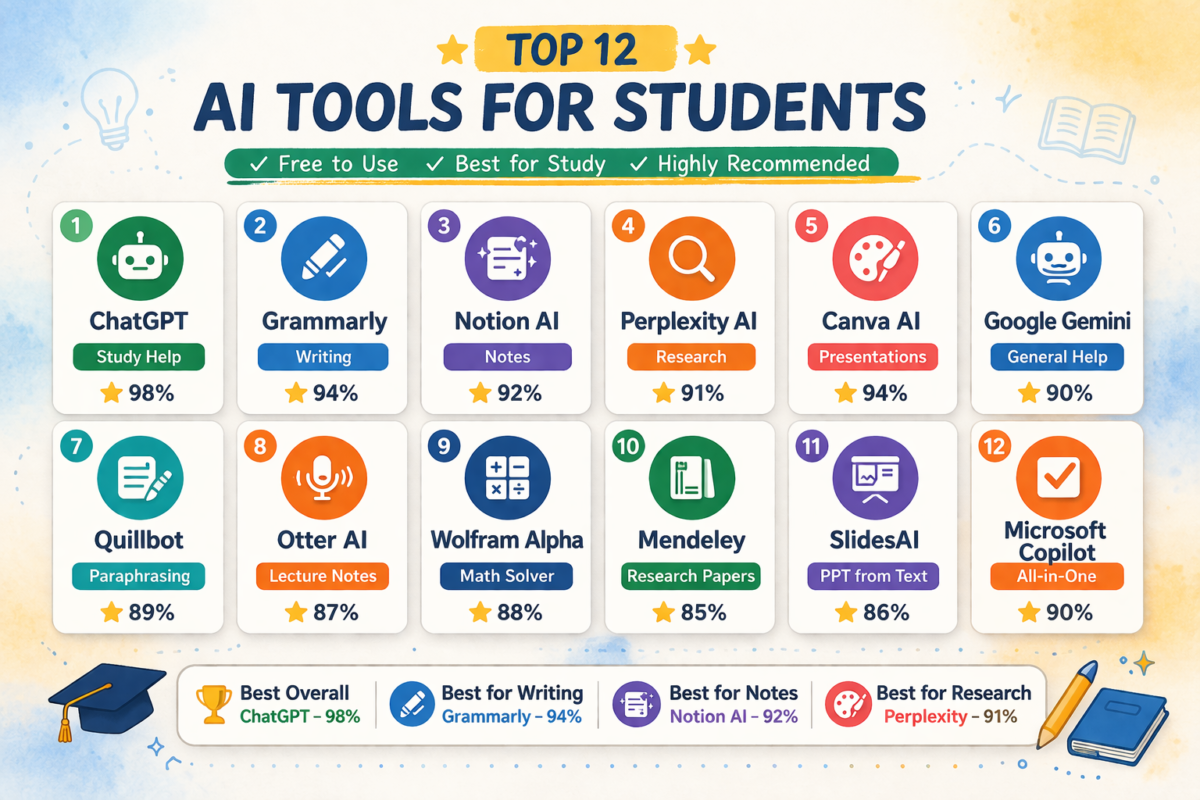
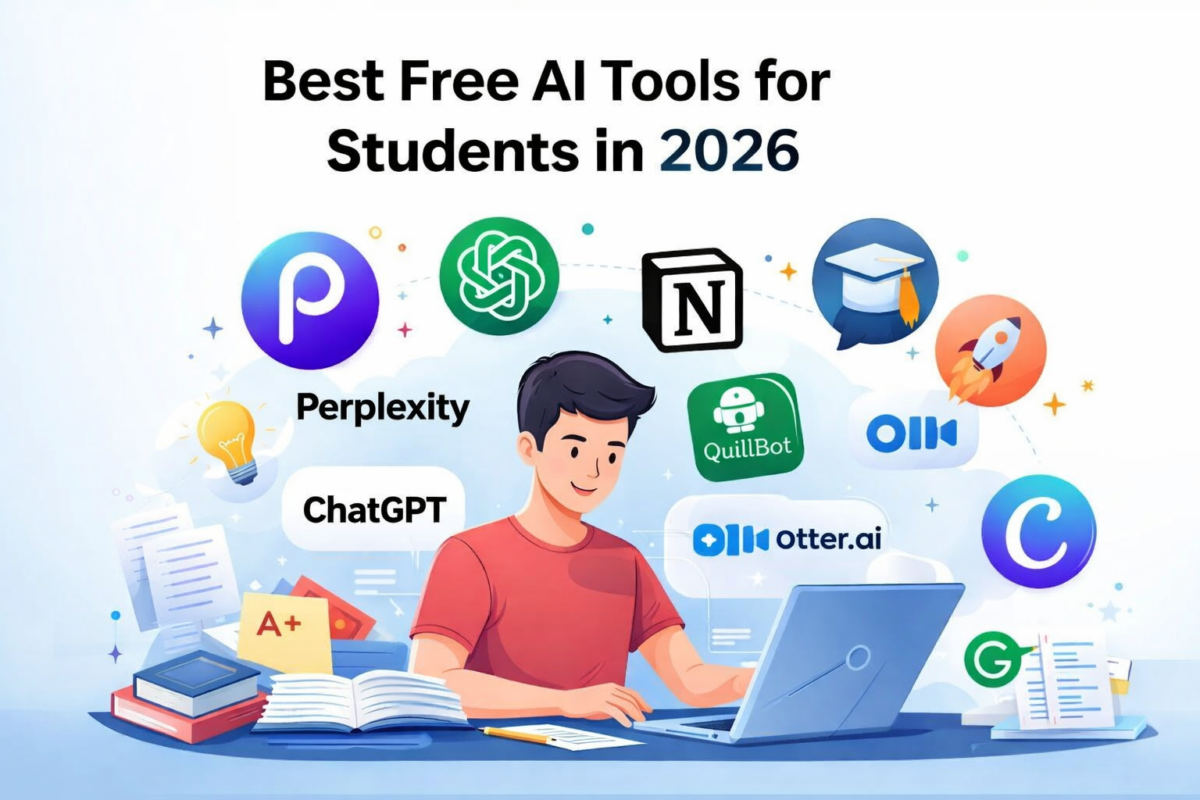
“The best free AI tools for students in 2026 are no longer just a tech trend.”, it has become a daily academic assistant for students. From writing assignments to summarizing research papers and creating study notes, the best free AI tools for students in 2026 can reduce study time while improving productivity.
Students today use AI for:
• Homework help
• Note making
• Research summarization
• Exam preparation
• Presentation creation
• Time management
This guide lists the most useful free AI tools for students, explains when to use each tool, and shows how to combine them into a powerful study workflow.
Quick Definition
Free AI tools for students are artificial intelligence platforms that help with studying, writing, research, productivity, and exam preparation without requiring paid subscriptions.
Examples include:
- ChatGPT → Homework help
- Notion AI → Notes & organization
- Grammarly → Writing correction
- Perplexity AI → Research
- Canva AI → Presentations
Quick Summary (Students Tool Stack)
Best AI tools by task:
| Task | Best Free AI Tool |
|---|---|
| Homework help | ChatGPT |
| Research | Perplexity |
| Notes | Notion AI |
| Writing | Grammarly |
| Presentations | Canva AI |
| Paraphrasing | Quillbot |
| Study flashcards | Anki AI tools |
Table of Contents
Best Free AI Tools for Students in 2026 (Top Picks Explained)
Here are the best AI apps students actually use daily.
1 ChatGPT (Best overall AI study assistant)
Best for: Homework help
Concept explanations
Coding help
Essay drafting
Why students use it:
ChatGPT works like a personal tutor. You can ask complex questions and get simplified explanations.
Student example:
Instead of reading a 20-page chapter, students ask:
“Explain photosynthesis in simple terms with examples.”
Pro tip:
Use prompts like:
“Explain like I’m a 10th grade student.”
Free plan limitation:
- Limited advanced models
- Message limits
2 Perplexity AI (Best research AI tool)
Best for:
Research papers
Finding sources
Fact checking
Academic summaries
Why it beats Google:
Perplexity shows sources directly. This makes it useful for assignments.
Student workflow:
Research topic → Perplexity
Explain topic → ChatGPT
Write summary → Grammarly
Free advantage:
Includes web citations.
3 Notion AI (Best productivity AI for students)
Best for:
Note organization
Study planning
Task tracking
Revision schedules
Why students love it:
Notion combines:
Notes
Calendar
Tasks
AI writing
Example use:
Create:
Exam revision dashboard
Assignment tracker
Daily study planner
Free limitation:
AI usage limits monthly.
4 Grammarly (Best AI writing assistant)
Best for:
Assignments
Essays
Emails
Reports
Why important:
Students lose marks due to grammar errors. Grammarly fixes:
Grammar
Tone
Clarity
Plagiarism risk signals
Pro tip:
Always run assignments through Grammarly before submission.
5 Canva AI (Best AI presentation tool)
Best for:
School presentations
Project slides
Infographics
Why useful:
Students can generate presentations in minutes.
Example:
Prompt:
“Create a presentation about climate change.”
Canva generates slides automatically.
Free features:
AI images
AI text
Templates
6 Quillbot (Best AI paraphrasing tool)
Best for:
Rewriting assignments
Avoiding plagiarism
Improving writing
Student use case:
Take textbook paragraph → rewrite clearly.
Free tools include:
Paraphraser
Grammar checker
Summarizer
Limitation:
Character limits in free version.
7 Otter AI (Best AI lecture notes tool)
Best for:
Lecture recording
Meeting notes
Transcription
Student workflow:
Record lecture → Otter converts to notes.
Huge advantage:
Students stop missing information.
Free plan:
Monthly transcription minutes.
8 Gamma AI (Best AI project creator)
Best for:
Projects
Reports
Presentations
Why useful:
Creates structured documents quickly.
Example:
Prompt:
“Create project on renewable energy.”
AI builds structure instantly.
9 Tome AI (Best storytelling AI tool)
Best for:
Case studies
Project storytelling
Visual assignments
Strong advantage:
Combines:
Design
Writing
Presentation
10 ElevenLabs AI (Best AI voice tool)
Best for:
Voiceovers
Educational videos
Language learning
Students use it for:
YouTube projects
Presentations
Learning pronunciation
2 Deep Advice: How Students Should Actually Use AI (Real Workflow)
Most students use AI wrong.
Smart students combine tools.
Example workflow:
Research phase:
Perplexity
Understanding phase:
ChatGPT
Writing phase:
Notion AI
Correction phase:
Grammarly
Presentation phase:
Canva
This creates a complete AI study system.
3 AI Tools Comparison
| Tool | Best For | Free Plan | Difficulty |
|---|---|---|---|
| ChatGPT | Homework | Yes | Easy |
| Perplexity | Research | Yes | Easy |
| Grammarly | Writing | Yes | Easy |
| Notion | Productivity | Yes | Medium |
| Canva | Design | Yes | Easy |
| Quillbot | Paraphrasing | Yes | Easy |
4 Best AI Tool Stack for Students (Expert Recommendation
Best combination:
Homework: ChatGPT
Research: Perplexity
Notes: Notion
Writing: Grammarly
Projects: Canva
This combination covers 90% of student needs.
5 Expert Tips Students Should Follow
Tip 1
Use AI for understanding not copying.
Tip 2
Always verify AI facts.
Tip 3
Use AI to simplify concepts.
Tip 4
Break complex questions.
Bad prompt:
Explain physics.
Good prompt:
Explain Newton’s laws with real examples.
Tip 5
Use AI daily not occasionally.
Consistency improves productivity.
6 Mistakes Students Must Avoid
Common mistakes:
Mistake 1
Copy pasting AI content.
Risk:
Plagiarism detection.
Mistake 2
Trusting AI blindly.
Always verify facts.
Mistake 3
Using AI as shortcut.
Best use:
Learning assistant.
Mistake 4
Ignoring free limits.
Understand usage caps.
Mistake 5
Using too many tools.
Use 4–5 maximum.
7 Pro Strategies Smart Students Use
Strategy 1
Use AI to create study plans.
Strategy 2
Generate practice questions.
Prompt:
“Create 20 MCQ questions from this topic.”
Strategy 3
Use AI for revision summaries.
Strategy 4
Use AI as doubt solver.
Strategy 5
Create flashcards.
Prompt:
“Create revision flashcards.”
8 Future of AI Tools for Students (2026–2030)
Trends coming:
AI tutors
Personalized learning
AI exam preparation
Voice study assistants
AI research agents
Prediction:
Students using AI effectively may study 30–40% faster.
9 FAQ
Which AI tools should students use?
Best tools:
ChatGPT
Perplexity
Grammarly
Notion
Canva
Are free AI tools enough for students?
Yes. Free versions cover most academic needs.
What is best AI tool for homework?
ChatGPT is currently most effective.
Which AI is best for exam preparation?
ChatGPT + Notion combination.
Are AI tools allowed in schools?
Depends on institution policies.
Use ethically.
Can AI replace studying?
No.
AI improves learning but cannot replace understanding.
Best free AI tools for students (Quick list)
Top tools:
• ChatGPT
• Perplexity
• Notion AI
• Grammarly
• Canva AI
• Quillbot
• Otter AI
Best usage:
Homework
Notes
Research
Writing
Projects
Conclusion
AI tools are becoming essential academic infrastructure. Students using the best free AI tools for students in 2026 gain advantages in productivity, understanding, and time management.
The real advantage is not using one tool.
It is building a system.
Best starter stack:
ChatGPT
Perplexity
Grammarly
Notion
Canva
Students who learn AI workflows early will have a major academic advantage in coming years.

Sumit Pandey is the founder of GyanSaga
I research and write helpful articles on home appliances, gaming gear, and everyday products to help users make better buying decisions.
My recommendations are based on research, user reviews, and real-world use.
Some links may be affiliate links at no extra cost to you.Sumit is the founder of Gyansaga, a technology and AI tools blog focused on blogging, SEO, and digital productivity. He researches AI software, blogging tools, and content creation platforms to help creators grow traffic and improve workflows. His content focuses on practical comparisons, tool testing, and SEO strategies.Hi, I’m Sumit Pandey, founder of GyanSaga. I write detailed guides about AI tools, blogging, SEO, and digital productivity software. My goal is to help bloggers, students, and content creators find the best tools to improve their workflow and grow online. I test AI tools, blogging platforms, and content creation software to provide practical comparisons and research-based recommendations.