
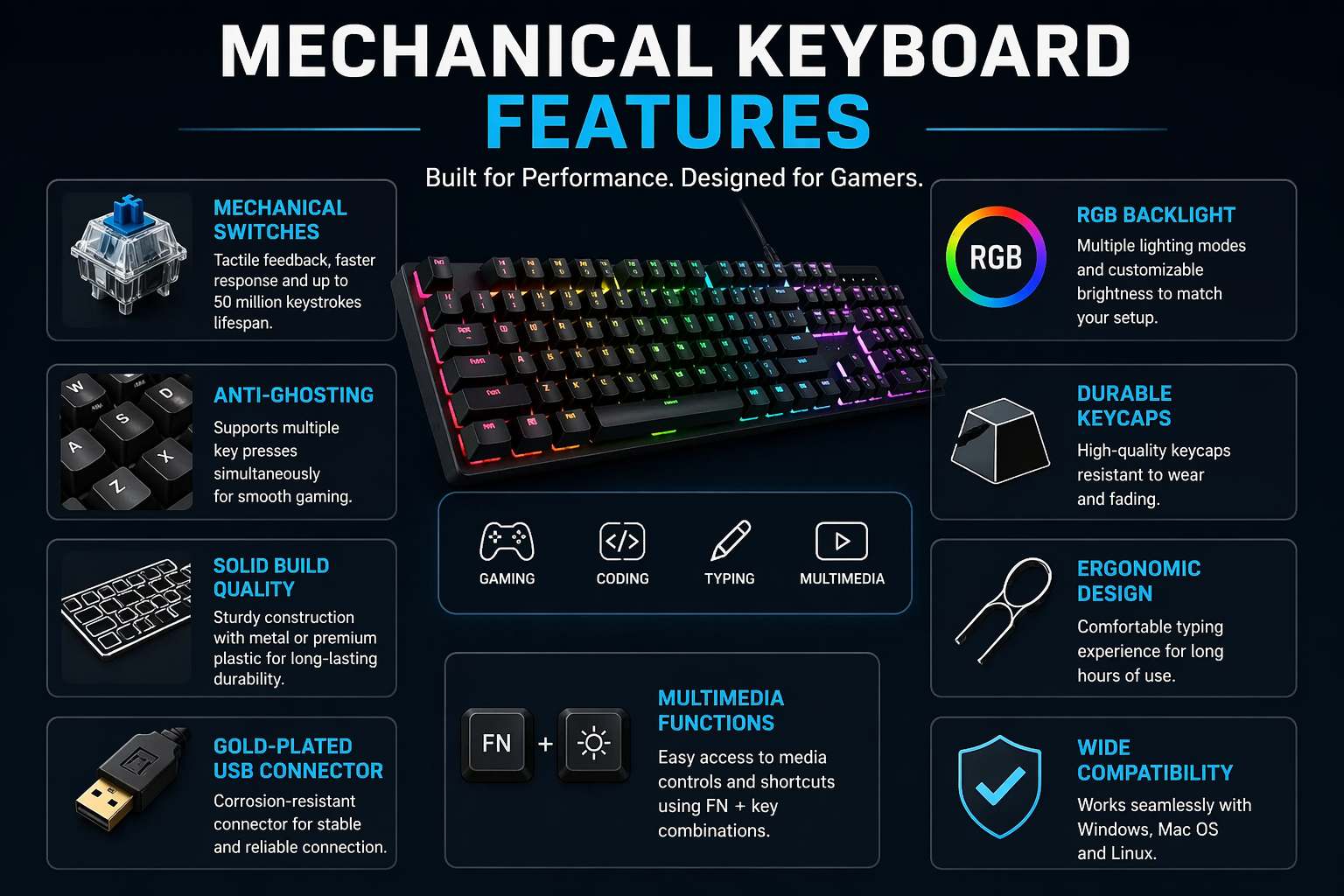
If you are planning to upgrade your typing or gaming experience without spending a fortune, a mechanical keyboard under ₹3000 can be one of the smartest investments you make. Unlike traditional membrane keyboards, mechanical keyboards offer better durability, faster response, and a much more satisfying typing feel.
But here’s the problem — the market is full of options, and most beginners don’t know what actually matters. RGB lights look attractive, but are they important? Blue switches sound cool, but are they practical?
In this guide, you’ll not only discover the best options but also understand everything you need to choose the right keyboard confidently.
A mechanical keyboard under ₹3000 offers better durability, faster response time, and improved typing experience compared to regular keyboards. Popular options like Redgear, Zebronics, and Ant Esports provide excellent performance for both gaming and daily use in this budget.
Why Choose a Best Mechanical Keyboard Under ₹3000?
A mechanical keyboard is built differently from a regular keyboard. Instead of a rubber dome, each key has its own mechanical switch.
This results in:
- Better typing accuracy
- Faster response time
- Longer lifespan (often 50 million keystrokes or more)
- A premium typing experience
For gamers, this means faster reactions. For writers or coders, it means less fatigue and more comfort.
Comparison Table: Best Mechanical Keyboards Under ₹3000
| Keyboard Model | Switch Type | Lighting | Build Quality | Size | Best For | Price Range |
|---|---|---|---|---|---|---|
| Redgear Shadow Blade | Blue Switch | Full RGB | Metal + Plastic (Strong) | Full Size | Typing + Gaming | ₹2,500 – ₹3,000 |
| Zebronics Max Pro | Blue Switch | RGB | Solid Plastic | Full Size | Budget Gaming | ₹2,000 – ₹2,800 |
| Cosmic Byte CB-GK-16 | Blue Switch | Rainbow LED | Decent Plastic | Compact | Beginners | ₹1,800 – ₹2,500 |
| Ant Esports MK1000 | Blue Switch | RGB | Average | Full Size | Gaming | ₹1,800 – ₹2,500 |
Quick Summary Of Best Mechanical Keyboard Under ₹3000
- 👉 Best Overall: Redgear Shadow Blade (balanced performance + build)
- 👉 Best Budget Pick: Zebronics Max Pro
- 👉 Best for Beginners: Cosmic Byte Firefly
- 👉 Best for Gaming: Ant Esports MK1000
Best Mechanical Keyboards Under ₹3000
1. Redgear Shadow Blade Mechanical Keyboard
This is one of the most popular budget mechanical keyboards in India.
Key Features:
- Blue switches (clicky and tactile)
- RGB lighting with multiple modes
- Full-size keyboard with numpad
- Solid metal build
Detailed Insight:
The Redgear Shadow Blade is perfect for beginners who want that classic “clicky” mechanical feel. The blue switches give strong feedback, which helps improve typing accuracy. However, it can be a bit noisy, so it may not be ideal for shared spaces.
2. Zebronics Max Pro Mechanical Keyboard
Zebronics has improved a lot in recent years, and this keyboard proves it.
Key Features:
- Outemu blue switches
- RGB backlighting
- Braided cable for durability
- Sturdy build quality
Detailed Insight:
This keyboard offers excellent value for money. The build feels solid, and the RGB lighting is bright and customizable. It’s a great option for both gaming and typing, especially if you’re on a tight budget.
3. Cosmic Byte CB-GK-16 Firefly
A well-balanced keyboard for both gamers and casual users.
Key Features:
- Mechanical blue switches
- Rainbow LED lighting
- Compact and stylish design
- Anti-ghosting support
Detailed Insight:
The Firefly stands out because of its compact form and decent performance. While it doesn’t have full RGB like premium keyboards, it still delivers a satisfying typing experience at a lower price.
4. Ant Esports MK1000 Mechanical Keyboard
A strong contender in the budget mechanical segment.
Key Features:
- Blue switches
- RGB lighting effects
- Full-size layout
- Budget-friendly pricing
Detailed Insight:
This keyboard is ideal for gamers who want performance without overspending. The switches are responsive, and the RGB adds a premium feel. It’s not perfect, but for the price, it delivers solid performance.
Types of Mechanical Switches (Very Important)
Choosing the right switch is more important than choosing the keyboard itself.
Blue Switches
- Clicky sound
- Strong tactile feedback
- Best for typing
👉 Downside: Noisy
Red Switches
- Smooth and quiet
- No tactile bump
- Best for gaming
👉 Downside: Less feedback
Brown Switches
- Balanced option
- Slight tactile feel
- Quiet compared to blue
👉 Best for both typing and gaming
Key Features You Must Consider
1. Build Quality
A good keyboard should feel sturdy. Metal top plates are better than plastic ones.
2. Backlighting (RGB vs Single Color)
RGB looks great but is not necessary. If your budget is tight, focus on performance first.
3. Anti-Ghosting & N-Key Rollover
This ensures multiple keys register at the same time — essential for gaming.
4. Size (Full Size vs Compact)
- Full-size: Includes numpad
- TKL (Tenkeyless): More desk space
- 60%: Compact and portable
5. Wired vs Wireless
In this budget, wired keyboards are more reliable and responsive.
Who Should Buy a Mechanical Keyboard?
You should consider buying one if:
- You type a lot (bloggers, students, writers)
- You play PC games
- You want a premium feel at a budget price
- You’re tired of cheap membrane keyboards
Common Mistakes to Avoid
- Buying only for RGB lights
- Ignoring switch type
- Choosing cheapest option without reviews
- Not considering noise level
FAQs About Best Mechanical Keyboard Under ₹3000
Is a mechanical keyboard good under ₹3000?
Yes, there are many good options in this price range that offer excellent performance and durability.
Which switch is best for beginners?
Brown switches are usually the best starting point because they balance typing and gaming.
Are mechanical keyboards noisy?
Blue switches are noisy, but red and brown switches are much quieter.
Do mechanical keyboards last longer?
Yes, they last significantly longer than membrane keyboards.
Conclusion About Best Mechanical Keyboard Under ₹3000
Choosing the best mechanical keyboard under ₹3000 can significantly improve your typing and gaming experience.
The key is not just picking the most popular model but choosing the one that fits your needs — whether it’s silent typing, fast gaming, or balanced usage.
If you’re a beginner, start with a reliable option like Redgear or Zebronics. Once you understand your preference, you can upgrade later.
Also Reads:
Best Gaming Chair Under ₹10000 (2026)
How to Dismantle a Reclining Sofa (Step-by-Step Simple Tips
The 5 Best Recliner Of 2026 | Review, Features, Comparison In Details
5 Best Ergonomic Chair Under $150 for Short Person (2026)

Sumit Pandey is the founder of GyanSaga
I research and write helpful articles on home appliances, gaming gear, and everyday products to help users make better buying decisions.
My recommendations are based on research, user reviews, and real-world use.
Some links may be affiliate links at no extra cost to you.